


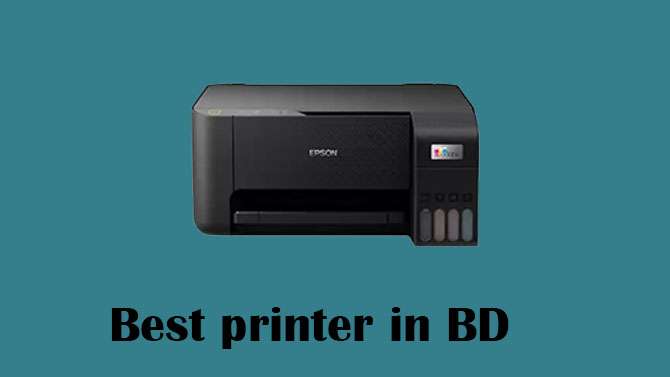
A printer is an essential device for printing office work, studying, or personal documents. In addition, connectivity is an important feature these days. Wi-Fi, Wi-Fi Direct, Bluetooth, mobile printing, and cloud printing—these features make it easy to print from a variety of devices. A USB or Ethernet connection may also be required for a stable connection. Additional features such as scan, copy, automatic duplex (two-sided printing), touchscreen, and ADF (Automatic Document Feeder) enhance the convenience of using a printer. You should also consider the paper capacity, the size it can print, and whether it supports thick or photo paper.
What is a printer?
A printer is an electronic device that takes digital information from a computer, smartphone, or other device and produces it on paper or other media. In simple terms, a printer turns digital documents—like text, images, or graphics—into physical copies.
Printers can produce black-and-white or color prints, and they come in different types, such as inkjet, laser, and thermal printers. Many modern printers also include features such as scanning, copying, Wi-Fi printing, and even mobile printing, making them useful for home, office, school, and business tasks.
Types of Printers
Inkjet printers: work by spraying tiny droplets of liquid ink onto paper, utilizing ink nozzles that release color droplets in cyan, magenta, yellow, and black. By combining these colors, the printer can produce detailed text and vibrant images. One of the primary advantages of inkjet printers is their excellent color printing and photo capabilities, along with an affordable upfront price. They are also compact and well-suited for home use. However, there are some disadvantages to consider, such as the potentially high cost of ink, the possibility of ink drying out if the printer is not used regularly, and generally slower printing speeds compared to laser printers.
Laser printers: use toner powder and heat to fuse the print onto paper. The process begins when a laser beam creates a static image on a drum, causing toner to stick to the drum’s charged areas. Subsequently, heat transfers the toner onto the paper, completing the printing process. One of the key advantages of laser printers is their fast printing speed, coupled with very low per-page cost, making them ideal for office settings and high-volume printing needs. However, there are some disadvantages to consider, including a higher initial cost compared to other printer types, particularly for color laser printers, which are generally more expensive. Additionally, laser printers tend to occupy more space due to their larger size.
Ink Tank Printer (EcoTank / SmartTank): A type of inkjet printer with refillable ink tanks instead of cartridges.Advantages: Very low printing cost, Best for high-volume home or business use, No frequent cartridge replacement.Disadvantages: Higher buying price, Setup may be messy due to liquid ink refilling
Thermal Printer-Used in receipts, barcode labels, and POS systems. How it works: Uses heat-sensitive paper; No ink is required in direct thermal printers. Advantages: Fast, silent printing; requires ink or toner.Disadvantages: Prints fade over time, and are only suitable for receipts or labels.
Working process
The printer receives data from your device, and its internal processor converts it into printable lines. Inkjet printers spray ink onto the paper, while laser printers use toner and heat to produce images or text. As the printing process unfolds, the paper moves through the machine, ultimately resulting in the final output appearing as a physical document.
Advantages of Using a Printer :
The device creates physical copies of digital documents, making it an essential tool across settings such as schools, offices, and legal environments. It also allows for photo printing, providing versatility in the types of documents you can produce. Additionally, all-in-one models offer the convenience of scanning and copying, further enhancing their functionality and usefulness.
Disadvantages of Printers:
Ink and toner can be costly, which is an essential factor to consider when purchasing a printer. Additionally, some models may require regular maintenance to ensure optimal performance, which adds to the overall expense and effort. The size of the printer can also be a consideration, as larger models take up more space in your home or office. Furthermore, mechanical parts may wear out over time, requiring repairs or replacements down the line.
How to Choose the Right Printer
Buying a printer may seem simple, but the wrong choice can lead to high running costs, poor performance, and constant frustration. Whether you’re a student, home user, freelancer, or business owner, choosing the right printer depends on your printing habits, budget, and required features. This guide breaks down the key factors to help you make an informed purchase.
Identify Your Printing Needs
Before comparing printer models, it’s essential to consider how and why you print. Start by asking yourself whether you print frequently or only occasionally, as this can significantly influence your choice. Consider whether you need color printing or if black-and-white will suffice. Additionally, think about the type of materials you print—do you primarily print photos, or are you focused on documents? It’s also important to evaluate whether you need additional features such as scanning, copying, or faxing. Lastly, consider if you need the ability to print from multiple devices, such as phones and laptops. Your answers to these questions will help you narrow down the right printer for your specific requirements.
Choose Between Inkjet and Laser
Inkjet printers are ideal for color documents, photo printing, and occasional home use. They offer excellent color quality, a lower upfront cost, and compact designs. However, ink can dry out with infrequent use, and the per-page cost tends to be higher. In contrast, laser printers are best suited for high-volume printing and office use, particularly for black-and-white documents. They offer fast printing speeds and a lower per-page cost since toner doesn’t dry out, though they come with a higher initial cost, and color laser models can be pretty pricey.
Consider Print Quality and Speed
Print quality is primarily determined by a printer’s DPI (dots per inch), with higher DPI resulting in sharper text and more detailed images. A DPI of 600 is sufficient for printing text, while 1200 or higher is recommended for high-quality photos. Additionally, print speed, measured in pages per minute (PPM), is another critical consideration. For home use, a speed of 20 to 30 PPM is typically adequate, whereas offices generally benefit from printers that can produce 30 to 50 PPM to meet higher-volume demands.
Factor in Running Costs
When choosing a printer, remember that the price is just part of the equation. Pay attention to ink or toner costs by checking the cartridge prices and opting for high-yield or XL options. Additionally, consider the cost per page (CPP): inkjet printers generally cost 10 to 25 cents per color page, while laser printers cost 3 to 10 cents per page. Selecting a printer with affordable consumables can help you save significantly on printing expenses.
Connectivity Options
Modern printers connect via Wi-Fi/Wi-Fi Direct, USB, Bluetooth, Ethernet, and cloud printing services like Google Cloud and AirPrint, with a focus on prioritizing wireless models for convenience.
When selecting a printer, consider all-in-one capabilities for scanning and copying, as well as automatic duplex printing for double-sided documents. Features like an Automatic Document Feeder (ADF) facilitate scanning multiple pages, while touchscreen controls enhance navigation. Check for good mobile app support from the manufacturer.
Ensure the printer has suitable paper handling, with a tray capacity of around 100 sheets for home use and 250+ for offices. It should support various paper sizes, including A4 and glossy photo paper, and handle thick or specialty paper if needed.
Popular brands include HP for software reliability, Canon for photo printing, Epson for cost-effective ink tanks, and Brother for quality laser printers. Always review user feedback and service availability in your area before making a choice.
Eco-Friendly Options
If sustainability matters: Choose an ink tank or a laser for reduced waste.
Look for Energy Star-certified models. Use duplex printing to save paper.
Budget Guidelines
Home Use: 6000 Taka to 15000 Taka
Photo Printing: 15000 Taka to 30000 Taka
Small Business / Office: 22000 Taka to 60000 Taka
Popular Printer Brands
HP — widely known, reliable, suitable for both home and office.
Canon — very popular for inkjet/photo printing, home and small office use.
Epson — especially its ink-tank (EcoTank/InkTank) printers — are popular for their low running costs and color/photo printing quality.
Brother — good reputation for laser printers and reliable monochrome/bulk printing, often preferred in offices.
Popular Printer Models (2025) & Their Strength
HP OfficeJet Pro 9125e
Balanced performance for home offices — good speed, quality prints, and innovative features like Wi-Fi & mobile printing.
Epson EcoTank ET-4850
Excellent value if you print often: refillable ink tanks (cheap per page), all-in-one (print, scan, copy), and ideal for home/medium-office.
Brother HL-L2460DW XL
Superb laser printer for fast, frequent black-and-white printing — suitable for businesses or home offices with heavy document loads.
Canon PIXMA G3010 (Ink Tank)
Popular among home users needing colour prints, photos, and occasional office tasks — refillable ink tanks keeps running costs low.
HP LaserJet Pro M15w
Budget-friendly, compact printer suitable for small home offices or personal use, with minimal space requirements.
Why These Models & Brands Are Popular
Cost-effectiveness: Models like EcoTank or InkTank significantly reduce per-page costs, keeping printing affordable in the long term.Versatility: All-in-one printers (print, scan, copy) are convenient for home and small office users.Reliability & Support: Big brands like HP, Canon, Epson, and Brother are known for better build quality and easier service & parts availability — vital if you live in Dhaka. Different needs: Whether you need colour photos, fast document printing, or low-cost everyday printing, there’s a reliable option for your needs.
Where to purchase in Bangladesh
There are various online and offline stores in Bangladesh, including Techland BD. Techland BD is one of the most trusted electronics and IT companies in Bangladesh. From here, you can buy all your favourite electronic products and get installation and Professional Maintenance services. Installation services are provided by skilled engineers here. They offer a range of electronic products, skilled installation services, and original products at competitive prices in BD.Buy Original products at reasonable prices at Techland BD and visit the website or contact your nearest Techland BD branch.

